How It Works
ASR.GE can be used in three ways. Pick the one that fits your task.
File Transcription
Upload a recording and get a Georgian transcript back.
Sign in
Create an account, verify your email, and open the Upload page.
Upload
Choose an audio or video file up to 5 minutes long. Audio: WAV, MP3, OGG, FLAC, M4A, AAC, WebM. Video: MP4, MOV, AVI, MKV, WebM.
Processing
Your file joins the transcription queue. Its status updates automatically while it is processed.
Two transcripts
You get a raw CTC transcript and a KenLM language-model version. Play or download the audio next to the text.
Up to 5 uploads per week. File names may contain only Latin letters, digits, hyphens and underscores, for example interview_01.mp3.
Upload a fileLive Transcribe
A Windows desktop app that transcribes whatever your computer plays, as it plays.
Sign in
Open ASR.GE Live Transcribe and sign in with your ASR.GE email and password.
Device and language
Pick the output device to capture, such as speakers or headphones, and the language: Georgian or English.
Record
Press Start or the Space bar. Voice activity detection splits speech into chunks and skips silence.
Corrected transcript
An LLM pass adds punctuation and fixes errors in context. Replay any chunk, copy the text, and find past sessions in your profile.
Live Transcribe draws on your account balance. Recordings are also kept on your computer in Documents\ASR.GE.
Read the manualText to Speech
Turn Georgian text into natural-sounding speech.
Sign in
Open the Text to Speech page from your account.
Enter text
Type or paste up to 500 characters of Georgian text. Only Georgian letters, full stops, commas and spaces are voiced.
Generate
Our in-house TTS model voices the text.
Listen
Play the generated audio from your TTS list.
Up to 5 generations per week.
Try Text to SpeechWhy two transcripts?
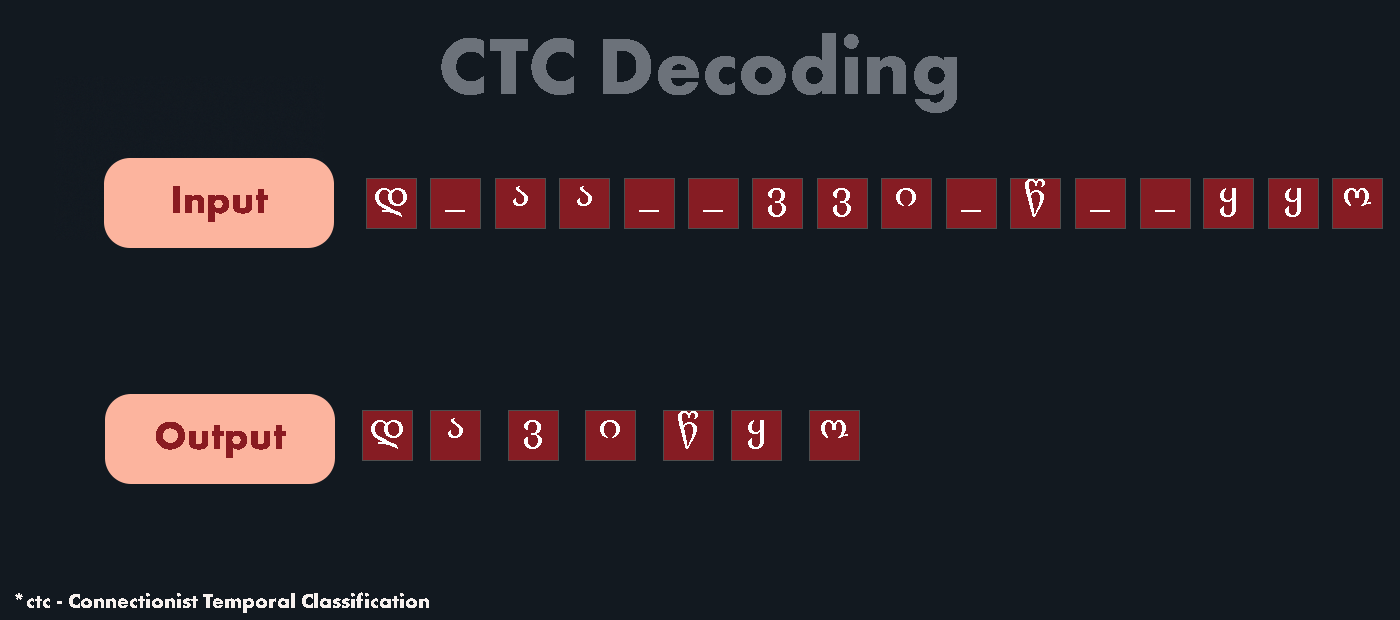
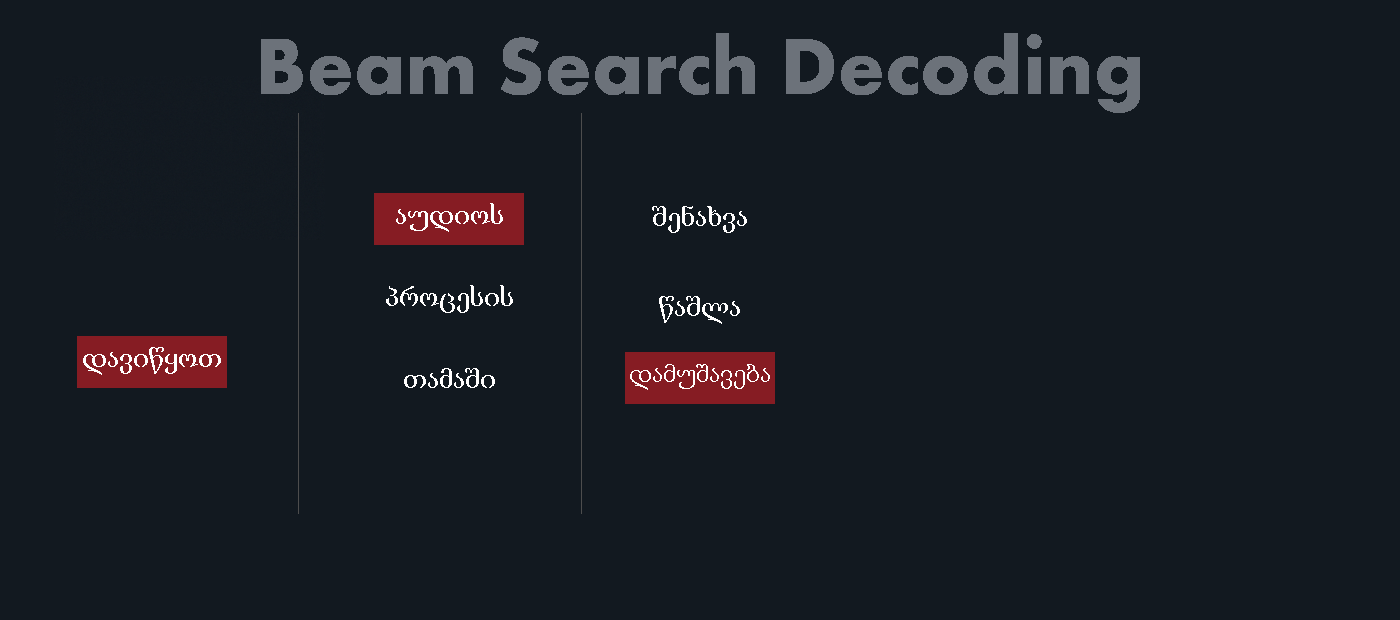
For every short slice of audio, the acoustic model estimates how likely each Georgian letter is. The CTC transcript takes the most likely letter at each step and collapses repeats. It is fast and stays close to what was actually said, but it can contain spelling slips. The KenLM version runs a beam search that weighs several candidate transcriptions against a language model trained on a large body of Georgian text, and keeps the most probable one. It usually reads more naturally and fixes many of those errors.